Hardpack Rally Wiki
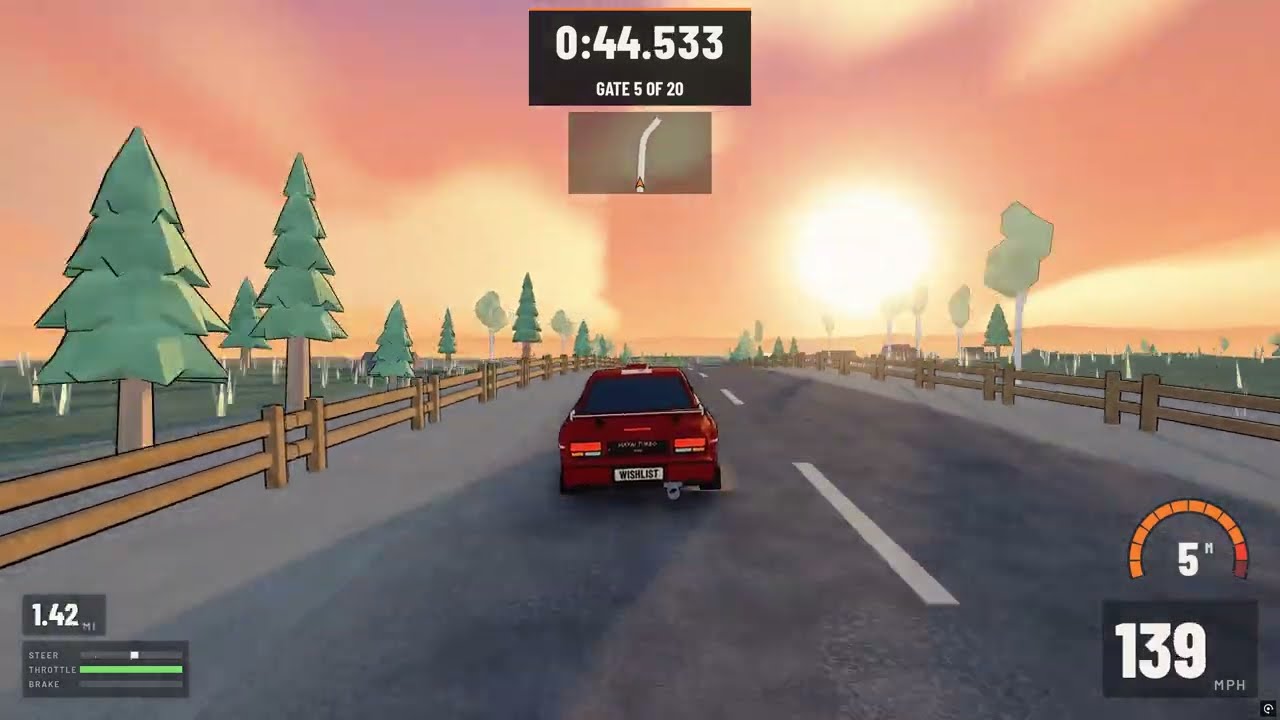
Start your rally career in Vern's old two-door car, master four distinct rally cars, tackle woodland corners, mountain passes, snow and desert roads, beat stage targets, chase your ghost times, climb the world leaderboards, and build custom rally stages in Stage Studio.
Hardpack Rally Resources
Eight modules covering cars, stages, career, leaderboards, driving technique, the demo, and platform support
Latest Updates
Discover the newest guides, tips, and content
Hardpack Rally steam wishlist: 2026 Setup & Launch Guide
Learn how to wishlist Hardpack Rally on Steam, prepare for its 2026 Early Access launch, and track the Demo, cars, stages, and updates.
Hardpack Rally wip: Early Access Setup Guide
Learn what to expect from Hardpack Rally wip, including cars, rally stages, career progression, controls, ghosts, leaderboards, and Stage Studio.
Hardpack Rally world record: Rankings & Time Trial Guide
Learn how Hardpack Rally world record times are verified, how to use ghosts and rankings, and how to build faster, cleaner rally runs.
Hardpack Rally track editor guide: Stage Studio Tips
Learn how to use Hardpack Rally Stage Studio to plan routes, shape corners, add terrain, test custom stages, and build cleaner rally layouts.
Hardpack Rally cars: 2026 Tier List & Setup Tips
Compare all four Hardpack Rally cars by handling role, stage fit, control demands, and practical setup tips for cleaner rally times.
Hardpack Rally tips: Step-by-Step Driving Tips & Tricks
Use practical Hardpack Rally tips for braking, cornering, controlled slides, elevation changes, car selection, ghost replays, and faster stage times.
Hardpack Rally steam game: Cars, Stages & Tips
Learn about Hardpack Rally cars, stages, career progression, ghost times, leaderboards, controls, and the free Demo before Early Access.
Hardpack Rally no commentary gameplay: Setup & Tips
Learn how to plan, record, and review Hardpack Rally no commentary gameplay with clean inputs, stage awareness, ghost comparisons, and useful setup tips.
Hardpack Rally gameplay: Step-by-Step Driving Guide
Learn Hardpack Rally gameplay with beginner driving tips, car roles, stage strategy, ghost comparisons, controls, and progression advice.
Hardpack Rally how to improve stage times: Fast Tips
Learn how to improve Hardpack Rally stage times with cleaner braking, controlled slides, better exits, ghost reviews, and repeatable practice.
Hardpack Rally stages: Stage Guide, Routes & Tips
Learn how to read Hardpack Rally stages, manage forests, mountains, snow, deserts, loops, braking zones, crests, and ghost-based practice.
Hardpack Rally tracks: Stage Guide & Driving Tips
Learn how Hardpack Rally tracks differ by surface, route layout, visibility, braking demands, and vehicle choice with practical stage tips.
Beginner Guide
Hardpack Rally Beginner Guide
Hardpack Rally rewards clean inputs and careful preparation. Begin with the available starter car, learn the requirements for each event, and use braking, controlled rotation, and ghost replays to improve one section at a time.
Enter Career Mode and Select the Available Event
Use Career Mode as the main introduction to the game's progression. Review the current event objectives before starting so you know whether the stage is focused on completion, a target time, or progression toward the next unlock.
- Read the event requirements before launching.
- Treat the first attempts as reconnaissance runs.
- Prioritize finishing cleanly over taking unnecessary risks.
Learn the Starter Car's Braking Response
The first priority is learning how much distance the car needs to slow down on different surfaces. Brake before the corner becomes visually obvious, especially when the road narrows or the approach is downhill.
- Use reference points such as road edges, signs, trees, or changes in surface.
- Release some brake pressure as the car begins to rotate.
- Avoid entering every corner at maximum speed.
Control Rotation Through Corners
Use measured steering and throttle inputs to keep the car pointed toward the exit. Small corrections are usually faster and safer than large steering movements after the car has already begun to slide.
- Separate braking, turning, and acceleration whenever possible.
- Aim for a stable exit rather than an aggressive entry.
- Use throttle carefully when the road surface offers limited grip.
Use Drifting as a Controlled Technique
Drifting can help rotate the car through tighter corners, but it should be used deliberately. Initiate the slide early enough to maintain visibility and reduce the amount of correction required at the exit.
- Avoid holding a slide longer than the corner requires.
- Straighten the car before full acceleration.
- If a drift repeatedly causes a spin, return to a slower grip-focused approach.
Replay Runs with the Ghost
Ghost replays provide a direct comparison between your line and a faster reference. Watch where the ghost brakes, how early it returns to the throttle, and whether it sacrifices entry speed for a cleaner exit.
- Improve one corner or sector at a time.
- Compare braking points before changing the entire route.
- Use repeated attempts to turn a successful line into a consistent one.
Vehicle Comparison
Hardpack Rally Cars Tier List
There is no single universal choice for every rally stage. The most useful comparison is based on how each car delivers power, how confidently it rotates, and how well its handling characteristics match the surface and route structure.
Dimmer 1990cc
Role-Based ReferenceEvaluate through the car's in-game drivetrain behavior
Naturally suited to learning how engine response affects corner exits
Use as a baseline when comparing predictable control against more specialized vehicles
A reference vehicle for understanding the game's core handling model
Montara 92
Role-Based ReferenceEvaluate through its in-game traction and rotation balance
Compare its acceleration response with the other career vehicles
Useful for judging whether a balanced setup is more effective than a power-focused approach
General-purpose stage comparison and learning consistent lines
Hayai Turbo
Role-Based ReferencePay close attention to how the car transfers power when accelerating out of a corner
The turbocharged identity makes power delivery a central part of the comparison
Requires careful evaluation of traction, wheelspin, and stability under acceleration
Stages where strong acceleration can be converted into time without sacrificing control
Atlas Raid
Role-Based ReferenceEvaluate its ability to remain composed over changing terrain and uneven surfaces
Compare low-speed response and acceleration against the more road-focused options
Prioritize stability and confidence when the route becomes rough, loose, or visually difficult
Stages where composure and terrain management matter more than pure corner-entry speed
Career Progression
Hardpack Rally Unlocks and Progression
Career progression is built around completing events and meeting their objectives. Use the progression table as a checklist: finish the current content, collect the required keys, improve target times, and check whether new cars, records, or liveries have become available.
Complete the available events and satisfy the objectives shown in the current chapter
Access to the next part of the career progression
Advance through the game in the intended event order
Finish a stage within the displayed time objective
Progress toward time-based career completion and related rewards
Improve braking points, corner exits, and stage consistency
Earn the keys associated with completed career objectives
Progression toward additional career content and vehicle access
Review each event's requirements instead of only aiming for a finish
Reach the relevant career progression requirement
Access to additional cars, including Dimmer 1990cc, Montara 92, Hayai Turbo, and Atlas Raid
Use newly available cars to compare handling roles across different stages
Meet the record-related objective attached to the relevant event or progression entry
Recognition through a developer record reward
Use ghost comparisons and repeated clean runs to close the gap to the record
Complete the specific career or record condition connected to the livery
An exclusive visual livery for the associated vehicle
Check completed objectives for cosmetic rewards after advancing through the career
Stage Strategy
Hardpack Rally Track Guide
Each route type asks for a different balance between commitment and caution. Learn to recognize the environment, identify the next braking reference before the corner arrives, and select a vehicle whose handling gives you enough stability to complete the stage cleanly.
Forest Roads
Point-to-point or linked technical sectionsNarrow roads, frequent visual references, limited space for corrections, and corners that can be hidden by vegetation or changing elevation
Brake before the road tightens and prioritize an exit that leaves room for the next direction change
Treat blind crests as potential braking zones until the road beyond them is known
Use a stable car that allows small steering corrections and predictable throttle control
Consistent entry speed and recognizing corner direction before turn-in
Mountain Sections
Elevation-changing technical routesClimbing and descending sections, sharper changes in visibility, and corners affected by weight transfer
Brake earlier on descents and avoid carrying excessive speed into corners where the exit drops away
Reduce speed before a crest when the landing area or following bend cannot be seen
Choose a vehicle that remains composed during braking, rotation, and acceleration over elevation changes
Weight transfer management and safe braking before downhill corners
Snow Roads
Low-grip stages with reduced braking confidenceLonger stopping distances, slower response to steering inputs, and greater risk from abrupt throttle or brake changes
Start braking earlier, use smoother steering, and avoid sudden corrections once the car begins to slide
Approach unseen crests conservatively because the available grip may not support a late correction
Favor stability and predictable traction over maximum acceleration
Smooth inputs, controlled rotation, and early preparation for every corner
Desert Environments
Open routes with changing surface grip and longer sightlinesGreater exposure to surface changes, high-speed approaches, and braking zones that can arrive quickly after long acceleration sections
Use the open road to position the car early, then brake in a straight line before committing to the turn
Do not assume a visible horizon means the route is safe to attack at full speed
Use a car that combines acceleration with enough stability to handle surface transitions
High-speed braking references and keeping the car settled over changing terrain
Point-to-Point and Loop Routes
Stage layouts defined by either a single route or a repeated circuitPoint-to-point stages reward learning the full sequence, while loops reward consistency and repeatable lines across multiple laps
On point-to-point stages, build a memory of the next corner; on loops, optimize lines that remain reliable every lap
Mark blind crests and hidden direction changes during reconnaissance instead of relying only on immediate sight
Select the car that best matches the route's surface and the amount of correction required
Route memorization, repeatability, and comparing each run with a ghost replay
Driving Guide
Hardpack Rally Driving Tips
Hardpack Rally rewards smooth inputs and disciplined speed management. New drivers should first focus on keeping the car stable and completing stages cleanly, while faster players can refine braking points, throttle control, slide angle, and line selection to reduce time loss.
Beginner Tip
Avoid holding full throttle while the car is still rotating. Straighten the steering before committing to maximum acceleration.
Advanced Tip
Use short, measured throttle inputs to keep the car balanced during low-grip exits and crest transitions.
Control Reference
Keyboard: Use short, deliberate accelerator presses instead of repeatedly holding full throttle.
Xbox Controller: Use the right trigger progressively so throttle pressure matches available grip.
DualSense: Use the accelerator trigger with gradual pressure to maintain traction through exits.
Competition
Hardpack Rally Leaderboards and Ghosts
Hardpack Rally's competitive features separate current daily performance from long-term personal progress. Comparing a live attempt with a stored ghost makes it easier to find braking points, missed exits, unnecessary slides, and sections where speed is being lost.
Daily leaderboards
Daily rankings provide a time-based target for the current competitive cycle. Use them to measure how your run compares with other players on the same challenge.
Run the stage once for a clean benchmark, then make one change at a time so improvements can be traced to a specific section.
- Overall finish time
- Consistency across repeated attempts
- Time gained or lost in key corners
Personal bests
Your personal-best result is the main reference point for long-term improvement and gives you a stable target even when daily rankings change.
Treat the personal best as a pace reference and focus on reproducing its strongest sections before attempting riskier improvements.
- Current run versus saved best
- Clean completion versus risky shortcut attempts
- Entry speed, minimum speed, and exit speed
Ghost replays
A ghost replay lets you compare your current car position and pace against a previous run without needing to memorize every input.
Watch where the ghost pulls away, then repeat that section while changing only braking release, steering angle, or throttle timing.
- Where the ghost first gains distance
- Whether the gap appears before or after the apex
- Whether the lost time comes from braking, rotation, or acceleration
Finding a stall point
A stall point is a section where your pace stops improving or where repeated attempts lose the same amount of time.
Use your own ghost to locate the first repeatable gap, isolate that corner or elevation change, and practice the approach separately from the rest of the stage.
- Repeated early braking
- Over-rotation at corner entry
- Delayed throttle on corner exit
Andre Gomes developer records
Developer records set a high-level benchmark associated with Andre Gomes and provide an additional performance target beyond ordinary leaderboard competition.
Use the developer record as a reference for line choice and consistency rather than attempting to match the full pace immediately.
Beating a developer record can unlock a special livery.
Getting Started
Hardpack Rally Demo and Early Access Guide
The Demo is designed for evaluating the driving model, controls, presentation, and available sample content. Early Access provides the broader playable package and is the appropriate choice for players who want access to the evolving game and its expanded progression.
Access
Free Demo
Free Demo available through its dedicated Steam listing.
Early Access
Paid Early Access release available through the main Hardpack Rally Steam listing.
Start with the Demo if you want to test the driving feel before purchasing.
Playable content
Free Demo
A focused sample of the game's available driving content.
Early Access
Expanded content compared with the Demo, including the Early Access package available at the time of play.
Use the Demo to evaluate the core loop, not as a complete representation of the Early Access content set.
Vehicles and stages
Free Demo
Limited vehicle and stage selection intended for a compact trial experience.
Early Access
Broader vehicle and stage access than the Demo.
Check the current store descriptions for the exact vehicle and stage selection included in each build.
Progress and records
Free Demo
Useful for learning controls and establishing initial driving habits.
Early Access
Designed for continued play, stronger leaderboard participation, ghost comparison, and longer-term progress.
Treat Demo results as practice rather than assuming every result carries into Early Access.
Updates
Free Demo
Content and build availability follow the Demo listing.
Early Access
Content, features, and build versions can change during development.
Review the latest Steam listing and community announcements before returning after a major update.
Recommended first session
Free Demo
Test keyboard, Xbox controller, and DualSense input, then complete a clean stage.
Early Access
Repeat the same stage, compare a personal best with a ghost, and explore the wider available content.
Begin with consistency and control calibration before chasing leaderboard times.
Technical Information
Hardpack Rally System Requirements and Platforms
Before launching Hardpack Rally, confirm that the operating system, graphics drivers, Vulkan support, storage capacity, and input device are ready. Players on lower-spec systems should prioritize stable frame pacing and visibility over high-cost visual effects.
Windows
Windows PCUse the current Windows configuration shown on the official Steam store listing.
Confirm Vulkan support through the installed graphics driver.
Start with conservative preset settings and reduce expensive effects before lowering resolution.
macOS
macOSUse the current macOS configuration shown on the official Steam store listing.
Confirm that the system and driver environment provide the required Vulkan-compatible support.
Use a lower resolution or rendering scale if frame pacing becomes inconsistent.
Linux
LinuxUse the current Linux configuration shown on the official Steam store listing.
A working Vulkan driver stack is required for the intended rendering path.
Keep graphics drivers updated and test the game with the system's recommended Vulkan packages.
Graphics and Vulkan
Desktop PC and compatible handheld systemsThe graphics card must support the required rendering features and Vulkan driver path.
Vulkan driver support is a key installation and troubleshooting check.
If performance is unstable, lower shadows, effects, reflections, and post-processing before reducing input responsiveness.
Storage
All supported PC installationsReserve the storage space specified by the current official store listing, with additional room for updates.
Install on a fast drive when possible to reduce loading delays and leave free space for future builds.
Controller support
Keyboard, Xbox controller, and DualSenseKeyboard input and common gamepad layouts are supported control options for driving.
Use analogue triggers and sticks for smoother throttle, braking, and countersteering control.
Steam Deck
Steam DeckCheck the current Steam Deck compatibility status and recommended launch configuration on the official Steam listing.
Vulkan driver behavior and Proton configuration affect compatibility and performance.
Favor a stable frame rate, moderate resolution, and reduced effects for consistent rally-stage visibility.